GPT Image 2: what it is good at and how to prompt it

40 credits

Create a free account, no card needed. New accounts get 40 free credits, one time only, after email verification. The cheapest 1K image costs 40 credits.

Run GPT Image 2 here

GPT Image 2 is OpenAI's image model, the one behind image making in ChatGPT. It is strongest where other models struggle: readable text, dense layouts and following long instructions. On GPTImagesPrompt.com it costs 40 credits per image at 1K, with 2K and 4K available on plans.

Choose GPT Image 2 or 2.5 in the model menu, or leave it on Auto. Add reference photos to edit or build on them.

Last updated:

GPTImagesPrompt.com is an independent site, not affiliated with OpenAI. It runs GPT Image 2 and GPT Image 2.5, OpenAI's image models, and pays for every image it makes.

Where it beats other image models

Text in the picture: headlines, labels, menu items and chart captions come out spelled correctly far more often. Layout: it keeps grids, columns and numbered steps in order. Instructions: a long prompt with many specific details is followed closely rather than averaged into a generic image.

How to write a prompt for it

Describe the image like a brief: what it is (a poster, a label, an app screen), the exact words in quotes, where each element sits, then style, colours and lighting. It reads plain sentences well, so there is no need for keyword lists or weights.

GPT Image 2 or GPT Image 2.5?

Both cost the same here. GPT Image 2.5 is the newer version and tends to hold small type and product details more firmly, so Auto picks it for text-heavy layouts and photo edits. GPT Image 2 remains a strong choice for illustration and scenes.

Getting the best results

Keep each line of text short and put the exact words in quotes. For a dense poster, give each block of text its own line in the prompt. Run a strong prompt twice and keep the better image. Build prompts around your own products, places and characters, as our content rules ask.

Featured

GPT Image 2 prompts with their outputs

All prompts
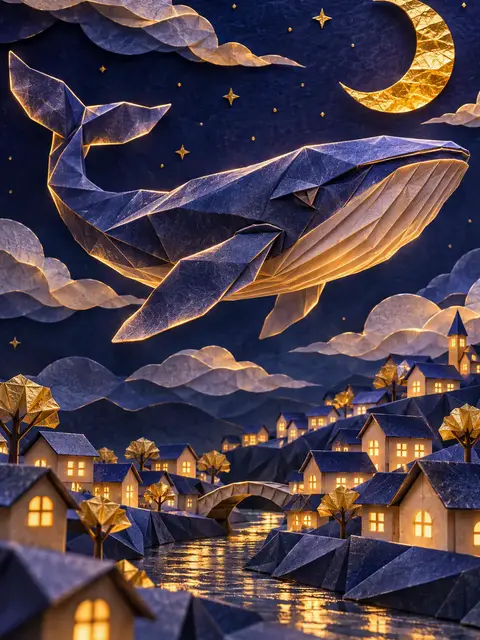
A folded paper whale gliding over a tiny paper city at night under a gold foil moon

Featured

Origami Whale over a Paper City

A giant whale made of folded origami paper glides above a quiet night city of tiny paper houses with glowing windows, a crescent moon cut from gold foil, layered paper clouds, soft rim light along every crease, deep indigo and warm gold palette, intricate paper craft diorama photographed with a macro lens, no text.

Curved bookshelves and a staircase of books carved into a cloud at sunrise

Featured

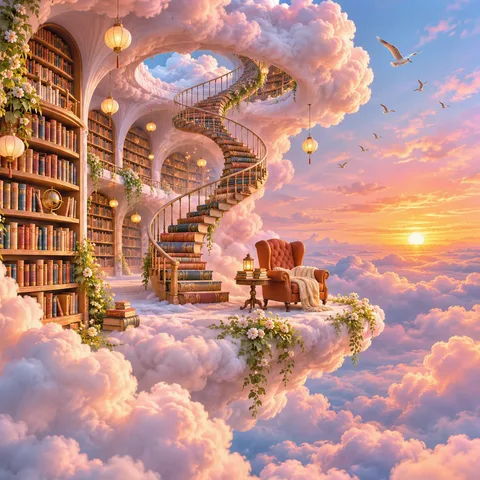
Library on a Cloud

A floating library on a cumulus cloud at sunrise: tall curved bookshelves carved into the cloud, a spiral staircase of books, small paper lanterns, a reading armchair at the edge, birds circling, pastel peach and sky-blue light, dreamy cinematic matte painting, ultra detailed, no people, no text.

A tiny mossy planet with a cottage and waterfall inside a glass jar on a rainy windowsill

Featured

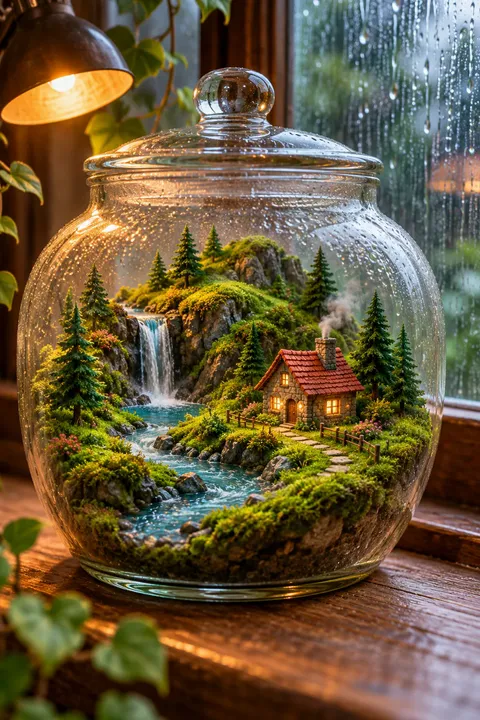
Planet in a Terrarium

A tiny planet inside a glass terrarium jar on a wooden windowsill: miniature mossy hills, a winding river, a red-roofed cottage, pine trees and a little waterfall, soft rain outside the window, warm lamp light, condensation droplets on the glass, tilt-shift macro photography, no text.

A vertical isometric miniature city scene with landmarks and a weather overlay

Featured

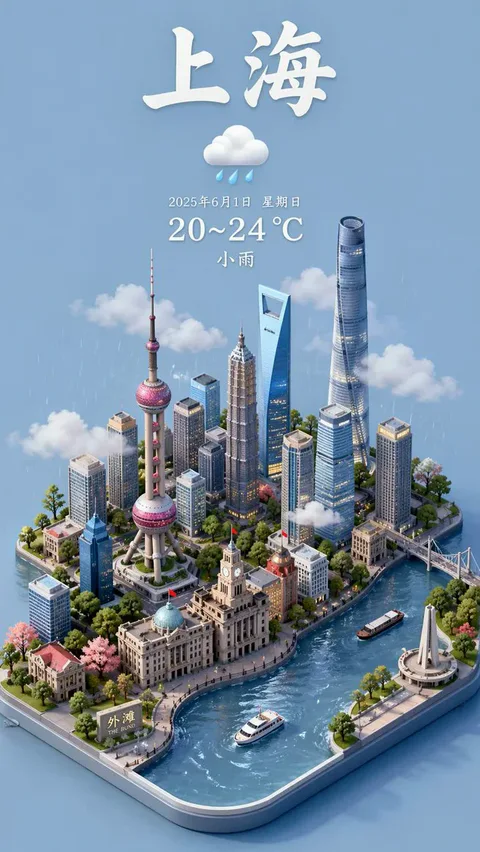
Isometric City Weather Card

Present a clear, 45° top-down view of a vertical (9:16) isometric miniature 3D cartoon scene, highlighting iconic landmarks centered in the composition to showcase precise and delicate modeling. The scene features soft, refined textures with realistic PBR materials and gentle, lifelike lighting and shadow effects. Weather elements are creatively integrated into the urban architecture, establishing a dynamic interaction between the city's landscape and atmospheric conditions, creating an immersive weather ambiance. Use a clean, unified composition with minimalistic aesthetics and a soft, solid-colored background that highlights the main content. The overall visual style is fresh and soothing. Display a prominent weather icon at the top-center, with the date (x-small text) and temperature range (medium text) beneath it. The city name (large text) is positioned directly above the weather icon. The weather information has no background and can subtly overlap with the buildings. The text should match the input city's native language. Please retrieve current weather conditions for the specified city before rendering. City name:【上海】

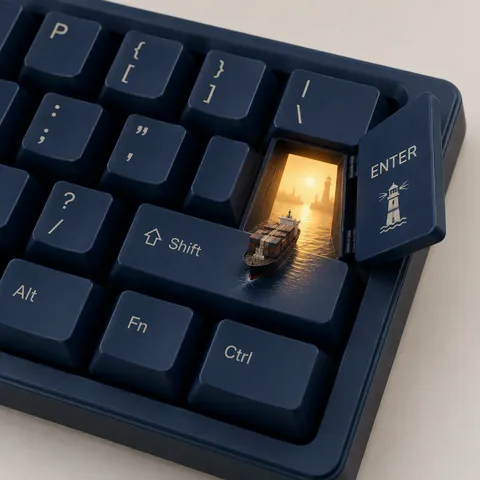
A navy keyboard seen from above with a surreal doorway opening between the keys

Featured

Doorway in a Keyboard

A surreal, minimalist conceptual product photograph of a navy-blue mechanical-style computer keyboard, shot at a zoomed-out, angled top-down perspective, revealing several rows of keys. The keyboard is deep navy blue with slightly rounded, realistic beveled keys, dark indigo shadows in the recessed areas and soft cool highlights on the raised surfaces, giving a tactile, oversized feel. Visible keys include bracket keys, punctuation keys, a Shift key, and a large "ENTER" key in the top right corner, labeled "ENTER" with a small lighthouse icon instead of a return arrow. The ENTER key is popped open like a hinged hatch, swung outward toward the viewer, matching the navy tone on its outer face with a darker indigo shade on the interior side. Beneath the open key is a hollow rectangular doorway glowing with warm magenta-gold light, illuminating a passage beneath the keyboard, with strong warm-light contrast against the navy surface — like the entrance to a harbor at dawn. A small, detailed miniature cargo ship (or sailboat silhouette) sails mid-motion toward the glowing doorway, as if entering a port, rendered with soft shadow cast beneath it on the keyboard surface. The scene sits on a plain, soft off-white or light warm-grey background/tabletop, minimal and clean, with soft diffused studio-style lighting throughout. Miniature-scale conceptual style, high detail, sharp focus, product photography quality, no text overlays besides the keyboard's own key labels. --ar 4:5 --style raw

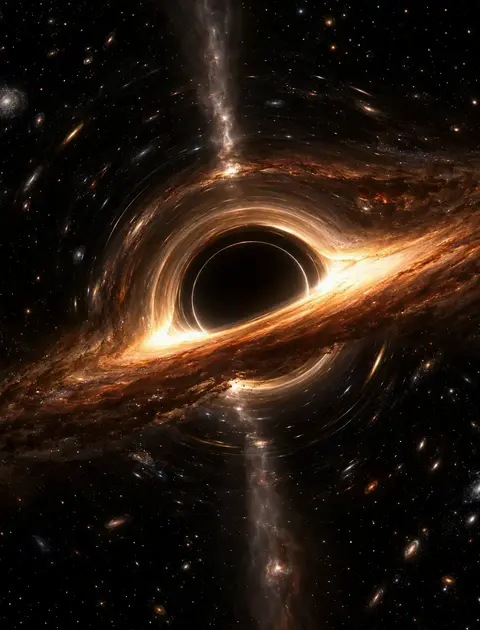
A realistic black hole with a glowing accretion disk bending the starlight around it

Featured

Black Hole and Accretion Disk

Ultra-realistic deep-space astronomical photograph of a supermassive black hole, scientifically plausible accretion disk surrounding a completely dark central event horizon, intense gravitational lensing visibly bending the background stars around the black hole, glowing hot plasma in the accretion disk with physically realistic gradients of orange, gold and white, relativistic effects, subtle jets extending from the poles, extremely detailed plasma structures, realistic star field, immense scale, deep black space, high dynamic range, observatory-quality astrophotography, scientifically accurate appearance, crisp fine details, natural exposure, realistic light scattering, no text, no labels, no watermark, no spacecraft, no fantasy elements.

FAQ

GPT Image 2 questions

Is this the official GPT Image 2 website?

No. GPTImagesPrompt.com is independent and not affiliated with OpenAI. It gives you access to GPT Image 2, OpenAI's image model, and pays for every image it makes. GPT Image is a trademark of its owner.

How much does one GPT Image 2 image cost?

40 credits at 1K, 66 at 2K and 105 at 4K. New accounts get 40 credits, enough for one 1K image.

Can GPT Image 2 edit my photo?

Yes. Upload up to 8 reference images and describe the change. It is best at placing products into new scenes and restyling; it is not for swapping faces, which our rules forbid.

What sizes and aspect ratios can I choose?

1K, 2K or 4K output, and square, portrait, landscape and wide ratios (1:1, 2:3, 3:2, 3:4, 4:3, 9:16, 16:9 and 21:9), or Auto.

Do I need a ChatGPT subscription?

No. You need an GPTImagesPrompt.com account and credits. There is no chat assistant here, only the image generator and the prompt library.